

Error code reference
Rex-Royal error codes, what they mean and how to fix them.
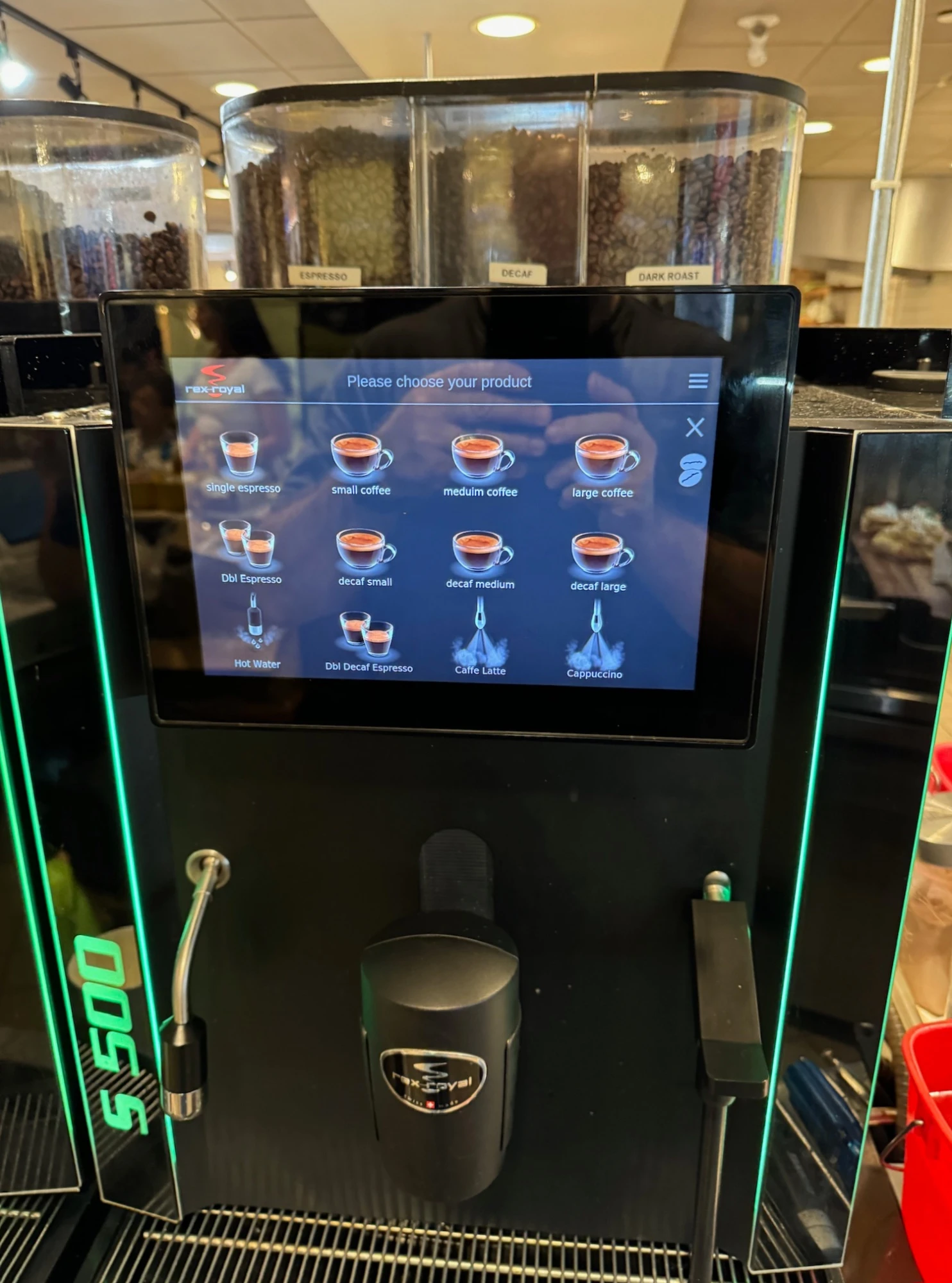
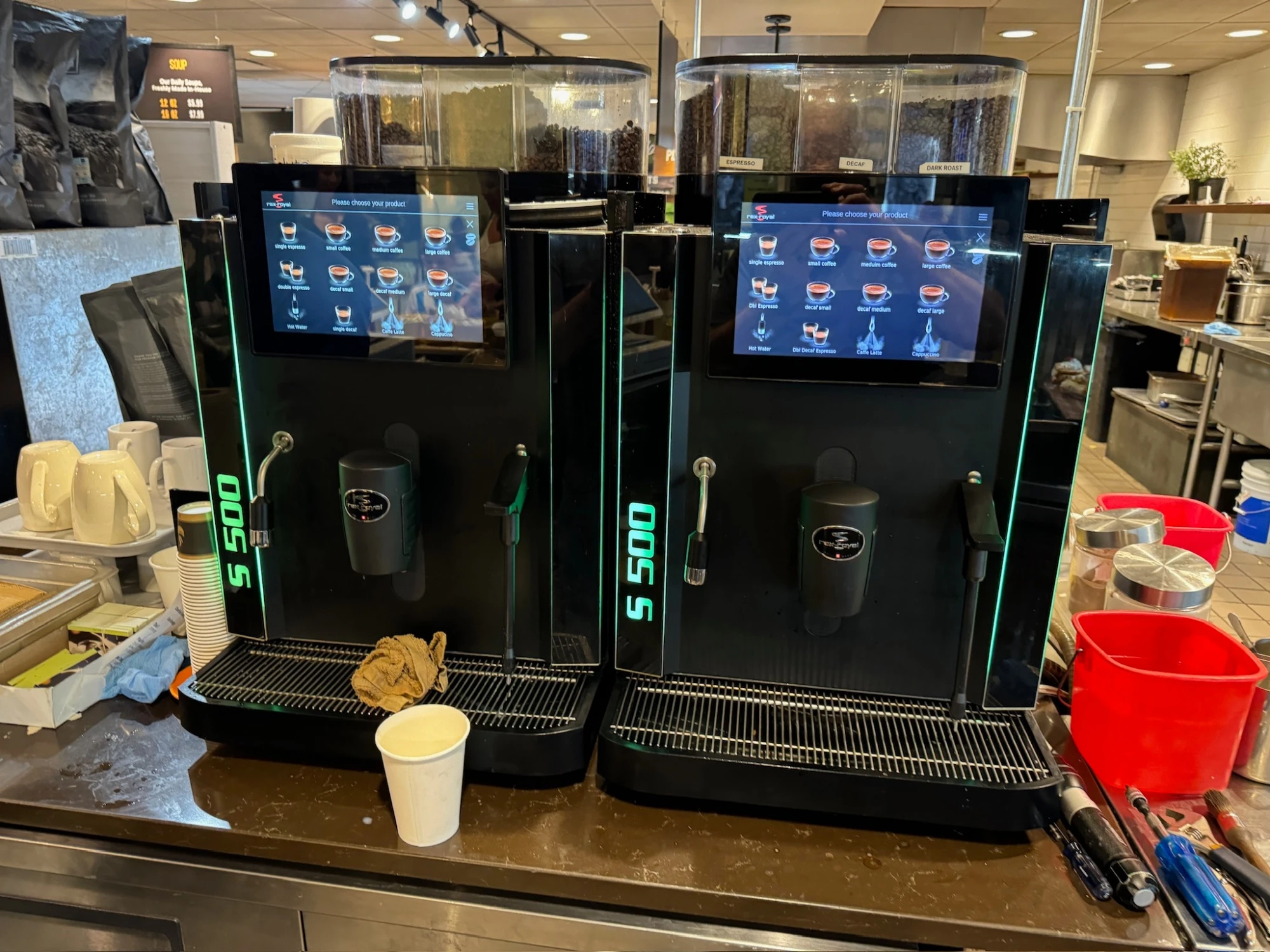
These are the faults and service alerts Rex-Royal's S-Series super-automatics surface, what each one means, and what to check before you call. They cover the current Swiss-made range: the compact S2, the touchscreen S300, and the high-volume S500. The S300 and S500 carry a 10.1 inch touchscreen that names most conditions in plain language, while the S2 shows a shorter set of codes and icons. Exact on-screen wording varies by model and firmware, so each entry describes the condition itself, not just a label.
Rex-Royal code? Send it to us.
We'll get back to you today with what it likely is.
Thanks. We received your request.
A Grajqevci technician will get back to you today to confirm your machine and book the visit. If it's urgent, call us directly at (289) 217-3796.
Something went wrong sending your request.
Please try again, or call us directly at (289) 217-3796 and we'll book your service over the phone. You can also email support@grajqevci.com.
About these codes. Compiled from Rex-Royal S-Series operating behaviour, the standard fault conditions this class of commercial super-automatic shares, and our own GTA service logs. Exact codes and on-screen wording vary by model and firmware revision, and where a fault applies mainly to the multi-grinder or fresh-milk-pump machines the entry says so. Each entry describes the underlying condition rather than a fixed manufacturer code. Updated August 2026
Brew unit
1 codeBrew unit position Brew unit position or jam fault
The metal brewing unit didn't reach its home or brew position inside the allowed travel, so the machine locks out brewing to protect the mechanism.
Likely causes
- Puck or grounds jammed in the brew chamber
- Brew unit gearmotor worn or drawing high current
- Position microswitch or encoder fault
- Brew unit seals swollen or scaled, raising drag
Try this first
- Power-cycle once to let the unit re-home
- If the model has an access panel, check the brew unit for a visible jam
Call us. We pull the brew unit, clear the jam, replace the seals, and test the gearmotor draw. Forcing it past a jam breaks parts.
Grinder
1 codeGrinder Grinder or dose fault
A grinder ran without delivering the expected dose, or stalled, so the controller flags an empty or jammed grind path. On the twin-grinder S300 and the up-to-three-grinder S500 the machine usually names the affected grinder.
Likely causes
- Bean hopper empty or gate closed
- Foreign object stalling the burrs
- Burrs worn past spec, dose drifting
- Grinder motor or its capacitor degraded
Try this first
- Check the hopper has beans and the gate is open
- Listen for the grinder stalling rather than running free
- On a multi-grinder machine, note which grinder is flagged
Call us. We clear the burr chamber, recalibrate the dose, and replace burrs or the motor if they're out of spec.
Milk system
2 codesMilk system Milk system or fresh-milk pump fault
The fresh-milk system isn't behaving as expected, the pump isn't drawing, or the foam path is off, so milk drinks stay off or off-spec until it's addressed.
Likely causes
- Milk circuit or frother scaled with milk-stone
- Air-intake or suction line blocked
- Fresh-milk pump or its valve worn
- Milk container empty or line not seated
Try this first
- Confirm the milk container has milk and the line is seated
- Check the milk line and air intake are clear
- Run the guided milk-clean cycle
Call us. We strip and sanitize the milk circuit, replace worn O-rings, test the pump draw, and verify foam quality before we leave.
Milk clean overdue Daily milk clean or cleaning-cycle alarm
The milk system flagged a required clean that hasn't run. The machine keeps brewing but milk drinks may be blocked until the cycle is completed.
Likely causes
- Daily milk clean overdue
- Cleaning agent exhausted or not detected
- Cleaning cycle started but not finished
Try this first
- Run the guided milk-clean cycle with fresh cleaning agent
- Do not clear the reminder without running the clean
Schedule it if the alarm returns after a proper clean. A recurring alarm usually means a scaled milk circuit that needs stripping.
Boiler
2 codesHeating timeout Boiler heating timeout
The boiler didn't reach setpoint inside the allowed warm-up window, so the controller cuts the element to guard against dry-firing or a scale-driven runaway.
Likely causes
- Element scaled and insulating
- Element electrically degraded or open
- Relay or SSR failed open
- Brown-out on the circuit during warm-up
- Boiler under-filled because of an autofill issue upstream
Try this first
- Confirm the boiler is filling
- Verify mains voltage and that nothing on the same circuit is browning out
- Power-cycle once
Call us. We test element resistance, verify the relay, and descale if scale is the root cause. Untreated GTA water shortens element life, so scale shows up here often.
Hot water output Hot-water output low
Hot-water throughput has fallen below the expected rate, most noticeable on the high-demand S300 and S500 when a queue forms. The machine keeps running but slows down under load.
Likely causes
- Scale insulating the heating element
- Element electrically degraded
- Filter cartridge past capacity restricting flow
- Inlet pressure low from an undersized filter or RO
Try this first
- Note whether output is slow from cold or only under sustained load
- Check the age of the water filter cartridge
Call us. We descale, test element resistance, and replace the element or right-size the cartridge so throughput returns to spec.
Sensors
1 codeBoiler NTC Boiler probe / NTC temperature fault
The controller has lost a valid reading from a boiler temperature sensor, so it holds power off the element until the sensor checks out and the machine won't come up to temperature.
Likely causes
- NTC sensor failed open or short
- Connector unseated at the control board
- Steam or moisture migration into the sensor housing
- Sensor lead chafed on the chassis
Try this first
- Power-cycle the machine once
- Note whether the alarm clears momentarily, an intermittent reading points to a connector rather than the sensor
Call us. The fix is a resistance test against the reference table and a targeted sensor replacement; the common NTCs ride on the truck.
Water
3 codesWater fill Autofill / level-probe fault
The autofill stayed open past the allowed window without the level probe ever seeing 'full', or the tank-fed model isn't sensing water, so the fill circuit is cut to stop a flood.
Likely causes
- Water supply closed or restricted
- Filter cartridge at end of life
- Autofill solenoid stuck closed
- Level probe heavily scaled
- Boiler leaking as fast as it fills
Try this first
- Verify the water supply is fully open
- Look under the machine for any standing water
- Check upstream filtration
Call us. We descale the probe, test the solenoid, and dye-trace if a leak is suspected. Don't keep restarting it if there's water on the floor.
Leak Water leak / drip-tray overflow
Water is collecting where it shouldn't, in the drip tray, under the machine, or inside the chassis. Left alone it reaches electronics, so the machine may lock out.
Likely causes
- Weeping fitting on the hydraulic circuit
- Worn brew-unit or hydraulic seal
- Drain line blocked, causing overflow
- Hairline crack in an internal water line
Try this first
- Empty the drip tray and confirm it's seated
- Check the drain isn't blocked
- If water is reaching the floor, shut the machine off
Call us. We pressure-test the circuits, dye-trace the leak to its source, and replace the failed seal or fitting rather than just retighten it.
Descale Descale / scale-buildup reminder
The machine has flagged a required descale, or scale is restricting flow. It isn't an immediate failure, but performance and element life suffer until it's done.
Likely causes
- Litres-dispensed counter elapsed
- Scale building on the boiler and brew circuit
- Filter cartridge past capacity
Try this first
- Confirm whether the reminder is for descale or filter
- Do not clear it without performing the service
Schedule it. We descale the boiler and brew circuit, verify or right-size the filter, and reset the counter as part of closing out the job.
Electronics
1 codeTouchscreen Touchscreen / control-board communication fault
On the S300 and S500 the link between the controller and the 10.1 inch touchscreen is degraded or lost, or the screen has frozen, so the machine stops responding to input.
Likely causes
- Ribbon or serial cable unseated
- Cable damaged by moisture migration
- Display or touch panel board failed
- Firmware hang or mismatch after a partial update
Try this first
- Power-cycle at the switch
- Note whether the screen is frozen or fully dark
Call us. We check the cabling, reflash from a known-good image if it's a firmware hang, and replace a failed display module only when the panel itself has failed.
Other
2 codesGrounds drawer Grounds drawer / waste fault
The grounds drawer is full, not seated, or the full-drawer sensor is misreading, so the machine stops brewing to avoid overfilling.
Likely causes
- Grounds drawer genuinely full
- Drawer not pushed fully home
- Full-drawer sensor dirty or misreading
- Drainage path under the brew unit blocked
Try this first
- Empty the grounds drawer and reseat it firmly
- Wipe the drawer sensor area if accessible
Call us if the fault persists with an empty, seated drawer. We check the drawer sensor and clear the drainage, replacing the sensor if it reads unreliably.
Service interval Service interval / maintenance reminder
The maintenance counter has elapsed. It isn't a failure, and the machine keeps brewing normally.
Likely causes
- Litres-dispensed counter elapsed
- Time-based counter elapsed
- Brew-unit cycle count reached
Try this first
- Confirm whether the reminder is for descale, filter, or general service
- Do not clear it without performing the service
Schedule a maintenance visit. We service the brew unit, clean the milk circuit, descale, and reset the counter as part of closing out the job.
No codes match your filters.
Try a different search term, clear the filters, or call us and we'll diagnose from your display.
Code you can't find?
Call us with the exact display string. We'll diagnose by phone.
Free download
The Rex-Royal cheat sheet, free
The top Rex-Royal error codes with what each one means and what is safe to try first, plus the daily and weekly care that prevents most service calls. Print it, laminate it, tape it to the machine.
By downloading, you consent to receive occasional service tips and seasonal reminders from Grajqevci. Unsubscribe anytime, every email has a one-click link.
Trusted by Toronto's most demanding teams
You're in good company.






Rex-Royal service work
Rex-Royal machines we've put back in service.
FAQ
Rex-Royal error codes, frequently asked.
9 answers about resetting codes, recurring faults, firmware versions, and when DIY ends. If the recurring ones are descale or water warnings, start with the right Rex-Royal water filter.
Updated August 2026
What does Rex-Royal error code Brew unit position mean?
Every documented Rex-Royal fault we see is listed above, with its meaning, common causes, and what to try before calling a technician. If the code on your machine isn't on this page, call us with the exact display string and we'll work it out by phone.
Can I clear or reset a Rex-Royal error code myself?
Sometimes. Many Rex-Royal codes clear after a power cycle, a completed descale, or a counter reset through the service menu. Codes tied to a hardware fault (failed sensor, blown element, board issue) will return immediately and need a technician. Each code above lists what's safe to try first.
Why does the same Rex-Royal error keep coming back?
A code that returns after a power cycle is signalling a real fault, not a glitch. The underlying part (sensor, heating element, valve, motor, board) needs replacement. Repeat codes are diagnostic gold for us, so call with the exact code and any timing or symptom pattern you've noticed.
My Rex-Royal code isn't listed. Why?
Rex-Royal updates fault tables across firmware revisions and model generations, and not every code is documented publicly. We see codes in the field that aren't in any published list. Call us with the exact display string and the model and we'll work it out from our service log.
How fast can you get on-site if I'm stuck on an error code?
Most calls in Toronto and the immediate GTA get same-day on-site response. Tell us the code and the model when you book and we'll bring the right parts on the first visit so the repair finishes the same day.
Do I need to be authorized by Rex-Royal to reset an error code?
No. We're an independent service provider, not affiliated with Rex-Royal, and we work on machines outside the manufacturer's authorized network routinely. That independence lets us service older or out-of-warranty machines authorized networks may decline, and quote transparently every time.
Is it worth fixing an old Rex-Royal machine that keeps throwing codes?
Depends on the machine, the code, and the cost. We give you honest math on this. If repairs are starting to exceed roughly 50% of a refurbished replacement and multiple major systems are throwing codes, we'll tell you it's time to look at replacing rather than running up the repair bill.
Will independent service void my Rex-Royal warranty?
If your machine is under the manufacturer's warranty, independent service may affect coverage depending on Rex-Royal's specific terms. Try the manufacturer's authorized network first. If their response is slow or they decline coverage for your code, call us and we'll service it on standard terms.
How many Rex-Royal codes are documented on this page?
13 codes are documented above, organized by the system they affect. The list is compiled from manufacturer service literature, technician forums, and our own service log. We update it as new codes appear or firmware adds new states.
The record
Built on response time. Backed by results.
Their proactive approach and thorough maintenance routines have helped us avoid costly breakdowns.
Stuck on a Rex-Royal error code? Call a specialist.
We diagnose Rex-Royal codes by phone routinely. Same-day on-site dispatch if it needs hands on the machine.
Call (289) 217-3796 now →