

Error code reference
Cafection error codes, what they mean and how to fix them.
Cafection machines speak their own fault language; the reverse French press platform shares very little with European super-automatics. The codes below cover the brew chamber, agitator, grinders, soluble canisters, water system, cleaning cycle, and the Sophia telemetry stack. They apply to the current Total 1, Symbol, Emblem, Encore Lite, Encore Ground, and Encore Venti, and to the legacy Avalon, Innovation, Total Lite, Encore 29, and earlier Cafection machines still out in the field.
Cafection code? Send it to us.
We'll get back to you today with what it likely is.
Thanks. We received your request.
A Grajqevci technician will get back to you today to confirm your machine and book the visit. If it's urgent, call us directly at (289) 217-3796.
Something went wrong sending your request.
Please try again, or call us directly at (289) 217-3796 and we'll book your service over the phone. You can also email support@grajqevci.com.
About these codes. Compiled from manufacturer service literature, technician forums, and our own service log. Codes can shift between firmware versions, so if what your screen shows doesn't match exactly, call us and describe it. Updated August 2026
Boiler
1 codeE01 Boiler heating timeout
The boiler didn't reach its set temperature inside the allowed warm-up window, so the controller cuts power to the element and blocks coffee dispense as a precaution.
Likely causes
- Heating element degraded or open-circuit
- Scale insulating the element (common on GTA tap water)
- Failed NTC temperature sensor
- Klixon thermostat tripped
Try this first
- Power-cycle the machine at the wall (30 seconds off)
- Check for a tripped manual-reset thermostat on the boiler if accessible
- Verify the water supply is open and the pump is priming
If the code returns after a power cycle, the element or its sensor is on the way out. We test the element's resistance at the machine and replace whichever part fails.
Brew unit
4 codesE10 Reverse French press chamber position fault
The brew chamber didn't reach its commanded position (open, brew, or eject), so the machine halts to protect the chamber drive from forcing through an obstruction.
Likely causes
- Grind buildup on the chamber drive components
- Worn chamber seal causing drag
- Failed home-position sensor
- Drive motor or cam wear
Try this first
- Power-cycle the machine and observe the chamber's homing motion
- Open the brew area and inspect for visible grind on the chamber rails
If the chamber still won't home after a power cycle, the fault is mechanical. We strip the brew assembly, clean the rails, replace any dragging seals, and verify the position sensor before calling it fixed.
E11 Agitator motor fault
The reverse French press agitator isn't running, or its current draw is outside spec. The brew cycle aborts because extraction can't be confirmed.
Likely causes
- Agitator shaft binding on dried coffee residue
- Worn motor coupling
- Failed agitator motor
- Drive relay sticking
Try this first
- Power-cycle the machine
- Manually verify the agitator shaft turns freely with the chamber open and the machine powered off
If the shaft turns freely by hand but the code stays, the motor or its relay is the problem. We measure current draw and replace whichever is out of spec.
E12 Brew chamber seal leak detected
Pressure isn't holding during the brew stroke, which points to a seal leak. Cup volume and strength drift from spec, so the platform flags the fault before the coffee gets noticeably worse.
Likely causes
- Main chamber O-ring degraded after 12 to 18 months of use
- Agitator shaft seal worn
- Chamber mounting torque loosened
- Hairline crack in the chamber body
Try this first
- Visually inspect the chamber area for moisture during a test brew
Seal replacement is routine work. We pressure-test the chamber, change all the primary seals in one visit, and check the chamber body for cracks while it's apart.
E13 Filter screen fault / grounds in cup
The filter screen in the brew chamber is torn or seated wrong, letting grounds pass through into the cup.
Likely causes
- Screen torn from age or aggressive cleaning
- Screen seated under the gasket instead of in the groove
- Mesh deformed from a previous over-torque on reassembly
Try this first
- Inspect the filter screen visually and confirm it sits flat in the groove
A torn screen needs replacing, and it's an inexpensive part. We fit it, verify the seating, and run clean test brews before we leave.
Grinder
2 codesE20 Grinder dose timeout
One of the active coffee sources ran past its maximum dose time without delivering a full dose, so the drink is aborted rather than served weak.
Likely causes
- Empty hopper or beans bridged above the throat
- Burrs at end of life
- Coffee oils contaminating the grind chamber
- Grinder motor weak
Try this first
- Check beans are present in the flagged hopper
- Tap the hopper to break any bridge
- Brush coffee dust off the grinder throat
Beans flowing but the code coming back means the burrs are done. We weigh dose against grind time, and if one burr set is at end of life we usually replace across the active grinders, since they age together.
E21 Hopper empty
A bean-level sensor reports an empty coffee source, and the machine prompts for a refill before it will pour that drink again.
Likely causes
- Hopper genuinely empty
- Beans bridged above the sensor
- Level sensor contaminated with bean dust
Try this first
- Refill the flagged hopper
- Tap to break any bridge
- Wipe the sensor window clean
A full hopper that still reads empty means the level sensor is coated in bean dust or failing. Quick swap on-site.
Electronics
2 codesE60 Main controller communication fault
The main controller has dropped into a communication fault that a normal power cycle won't recover. The display may freeze or show a comms error.
Likely causes
- Serial cable seating issue between display and main board
- Firmware glitch after a partial update
- Power-supply rail issue
- Main board fault
Try this first
- Power-cycle at the wall (30 seconds off)
This is a call-us code. We open the cabinet, press the red reset button on the main board, reseat the serial cable, and verify the controller and screen reboot in sync.
E61 Touchscreen unresponsive
The touch panel isn't registering input, so nothing can be ordered at the machine until the interface recovers.
Likely causes
- Firmware hang
- Ribbon cable to display worked loose
- Touch digitizer failed
Try this first
- Power-cycle the machine
If a power cycle doesn't wake the screen, we reseat the display ribbon cable and replace the display module only if the digitizer itself has failed.
Water
3 codesE40 Water inlet timeout
The fill cycle didn't complete in time. Either the inlet valve isn't passing water or the tank float rarely rose to confirm the fill.
Likely causes
- Water supply tap closed
- Low building water pressure
- Inlet solenoid clogged with scale
- Float sensor stuck low
Try this first
- Verify the water supply is open
- Check the inlet hose isn't kinked
- Listen for the solenoid clicking on fill attempt
A solenoid that clicks with no water flowing means scale has plugged the valve. We clean the strainer and replace the valve if it's past saving.
E41 Flow meter fault
The flow meter isn't sending pulses during the brew, so the controller can't measure cup volume and aborts the cycle rather than overfill.
Likely causes
- Flow meter turbine clogged with mineral deposits
- Pump losing prime
- Cable disconnected at the meter
Try this first
- Run a hot-water dispense to test general flow
- Listen for pump priming
If hot water flows but brews still abort, the meter's turbine is fouled or its cable is off. We clean or replace the meter and test the pump in the same visit.
E42 Water filter cartridge exhausted
The filter cartridge counter has hit its limit. In harder water the cartridge can be exhausted even sooner than the counter assumes, so treat the alert as due rather than early.
Likely causes
- Cartridge genuinely at end of life
- Counter set too aggressively for soft-water sites
- Counter not reset after the previous swap
Try this first
- Replace the cartridge with the correct part number
- Reset the filter counter through service menu
An alert that returns immediately after a fresh cartridge means the counter isn't resetting. Quick on-site fix.
Sensors
4 codesE02 Boiler temperature sensor fault
The boiler's NTC sensor is reading outside its valid range, either open or shorted, which leaves the controller unable to regulate temperature safely.
Likely causes
- NTC sensor failed
- Sensor cable damaged or pinched
- Connector unseated at the main board
Try this first
- Power-cycle the machine
- Inspect the visible sensor cable for damage
A sensor reading open or shorted needs replacing; cleaning won't bring it back. One visit covers it.
E50 Grounds bin counter limit
The spent-puck bin counter has reached its programmed limit, so the machine asks for the bin to be emptied before it will dispense again.
Likely causes
- Bin genuinely full
- Counter not reset after the previous empty
- Bin-presence sensor reading absent
Try this first
- Empty the bin and refit fully seated
- Wait for on-screen reset confirmation
If the prompt survives a clean empty and refit, the bin-presence sensor is dirty or failing. We sort it on-site.
E51 Drip tray full or missing
The drip-tray float reads full, or the tray reads as absent. Dispense pauses until the machine is satisfied the tray can catch what's coming.
Likely causes
- Tray actually full
- Float stuck on coffee residue
- Tray-presence microswitch dirty
Try this first
- Empty and rinse the drip tray
- Clean the float cavity
- Reseat firmly
Alerts that return straight after a clean, empty tray point to a sticking float or a dirty microswitch. Quick on-site repair.
E90 Cup-presence sensor not detecting cup
The optical cup-detection sensor isn't seeing a cup under the spout, so dispense pauses rather than pour onto the drip tray.
Likely causes
- No cup placed
- Dirt or coffee mist on the sensor lens
- Sensor alignment drifted
- Failed sensor
Try this first
- Wipe the cup-sensor lens with a soft cloth
- Verify the sensor isn't blocked by debris
If cleaning the lens doesn't restore detection, the sensor needs realigning or replacing. Quick on-site fix.
Cleaning
2 codesE80 Daily clean cycle required / overdue
The scheduled daily clean hasn't run inside its required window. Depending on configuration, the machine locks out milk drinks or stops dispensing entirely until the cycle completes.
Likely causes
- Daily clean skipped by staff
- Cleaning solution depleted
- Previous cycle didn't complete and counter wasn't reset
Try this first
- Initiate the daily clean cycle from the operator menu
- Verify cleaning solution is loaded
- Run to completion before clearing the alert
An alert that returns after a full, completed cycle means the counter isn't resetting. We check it through the service menu.
E81 Cleaning cycle aborted
A clean cycle started but didn't finish, so the machine flags it as incomplete and won't count it.
Likely causes
- Cleaning circuit blockage
- Level sensor in the cleaning tank reading incorrectly
- Power interruption mid-cycle
- Exhausted detergent pump
Try this first
- Re-initiate the cycle from the menu
- Verify detergent supply
A cycle that stalls in the same place every time has a specific cause. We diagnose that stage and clear the blockage or replace the sensor behind it.
Connectivity
1 codeE70 Sophia telemetry not reporting
The machine can't reach the Sophia cloud platform. Drinks still pour locally, but the OCS dashboard shows the machine offline and remote diagnostics go dark.
Likely causes
- Site network connectivity issue (router, firewall, SIM card)
- Telemetry board fault
- Sophia account or device registration drift
- Outdated telemetry firmware
Try this first
- Verify other devices on the same network are online
- Power-cycle the machine to retrigger the telemetry handshake
If the site network is healthy and Sophia still shows the machine offline, we test the telemetry board and coordinate with the operator's Sophia administrator to reauthorize the unit if needed.
Other
2 codesE30 Soluble canister empty or not dispensing
A soluble-product canister (chocolate, instant milk, French vanilla) failed to dose, so the drinks that depend on it are disabled until it dispenses again.
Likely causes
- Canister empty
- Powder clumped or bridged from humidity
- Auger motor weak
- Powder shoot blocked
Try this first
- Refill the canister and tap to release any bridge
- Inspect the powder shoot for blockage
Clumping that keeps coming back in a humid install needs a canister desiccant or a seal upgrade rather than another clean-out. We can quote both.
E31 Soluble auger motor fault
The auger motor on one of the soluble canisters is drawing the wrong current or not rotating, so that canister can't dose reliably.
Likely causes
- Auger seized on caked powder
- Failed auger motor
- Drive coupling slipping
Try this first
- Empty and clean the canister
- Verify the auger turns freely by hand
If the auger turns freely by hand but the motor still faults, the motor or its relay is the issue. We replace either on-site.
No codes match your filters.
Try a different search term, clear the filters, or call us and we'll diagnose from your display.
Code you can't find?
Call us with the exact display string. We'll diagnose by phone.
Free download
The Cafection cheat sheet, free
The top Cafection error codes with what each one means and what is safe to try first, plus the daily and weekly care that prevents most service calls. Print it, laminate it, tape it to the machine.
By downloading, you consent to receive occasional service tips and seasonal reminders from Grajqevci. Unsubscribe anytime, every email has a one-click link.
Trusted by Toronto's most demanding teams
You're in good company.






Cafection service work
Cafection machines we've put back in service.
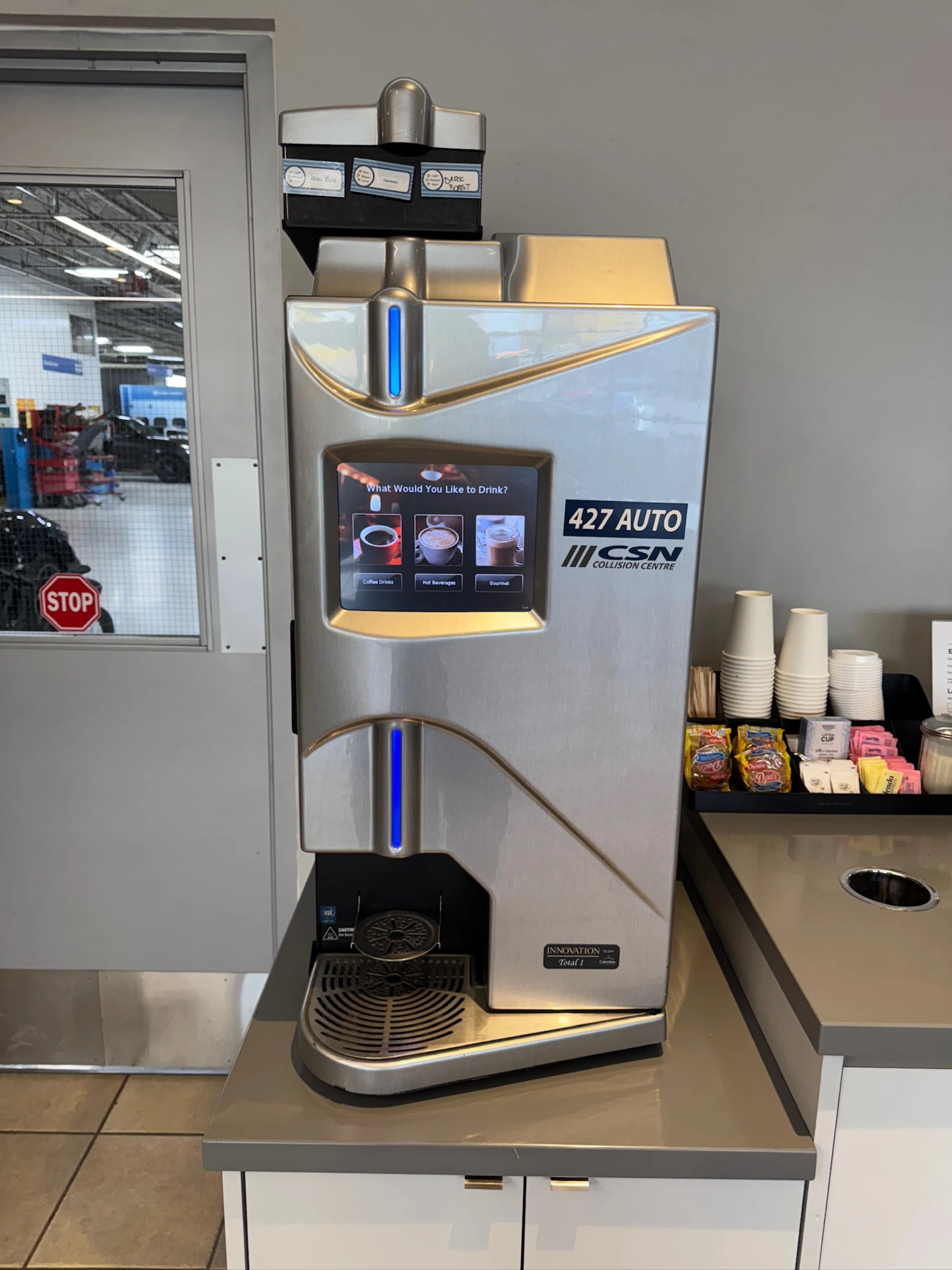
FAQ
Cafection error codes, frequently asked.
9 answers about resetting codes, recurring faults, firmware versions, and when DIY ends. If the recurring ones are descale or water warnings, start with the right Cafection water filter.
Updated August 2026
What does Cafection error code E01 mean?
Every documented Cafection fault we see is listed above, with its meaning, common causes, and what to try before calling a technician. If the code on your machine isn't on this page, call us with the exact display string and we'll work it out by phone.
Can I clear or reset a Cafection error code myself?
Sometimes. Many Cafection codes clear after a power cycle, a completed descale, or a counter reset through the service menu. Codes tied to a hardware fault (failed sensor, blown element, board issue) will return immediately and need a technician. Each code above lists what's safe to try first.
Why does the same Cafection error keep coming back?
A code that returns after a power cycle is signalling a real fault, not a glitch. The underlying part (sensor, heating element, valve, motor, board) needs replacement. Repeat codes are diagnostic gold for us, so call with the exact code and any timing or symptom pattern you've noticed.
My Cafection code isn't listed. Why?
Cafection updates fault tables across firmware revisions and model generations, and not every code is documented publicly. We see codes in the field that aren't in any published list. Call us with the exact display string and the model and we'll work it out from our service log.
How fast can you get on-site if I'm stuck on an error code?
Most calls in Toronto and the immediate GTA get same-day on-site response. Tell us the code and the model when you book and we'll bring the right parts on the first visit so the repair finishes the same day.
Do I need to be authorized by Cafection to reset an error code?
No. We're an independent service provider, not affiliated with Cafection, and we work on machines outside the manufacturer's authorized network routinely. That independence lets us service older or out-of-warranty machines authorized networks may decline, and quote transparently every time.
Is it worth fixing an old Cafection machine that keeps throwing codes?
Depends on the machine, the code, and the cost. We give you honest math on this. If repairs are starting to exceed roughly 50% of a refurbished replacement and multiple major systems are throwing codes, we'll tell you it's time to look at replacing rather than running up the repair bill.
Will independent service void my Cafection warranty?
If your machine is under the manufacturer's warranty, independent service may affect coverage depending on Cafection's specific terms. Try the manufacturer's authorized network first. If their response is slow or they decline coverage for your code, call us and we'll service it on standard terms.
How many Cafection codes are documented on this page?
21 codes are documented above, organized by the system they affect. The list is compiled from manufacturer service literature, technician forums, and our own service log. We update it as new codes appear or firmware adds new states.
What we've done
What two-and-a-half decades on the road looks like.
Their tech caught a worn pump on a scheduled maintenance visit before it actually failed. That's the difference between maintenance and just servicing what broke.
Stuck on a Cafection error code? Call a specialist.
We diagnose Cafection codes by phone routinely. Same-day on-site dispatch if it needs hands on the machine.
Call (289) 217-3796 now →